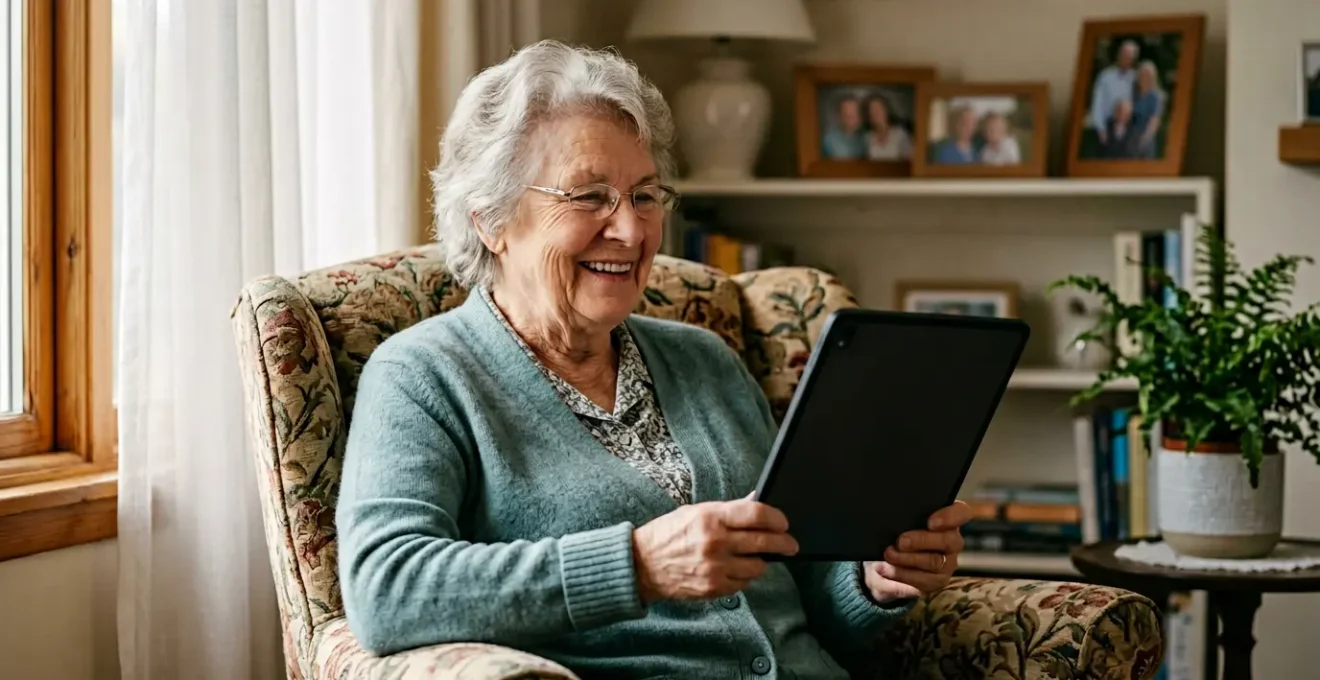
Senior telehealth failure is not a patient problem; it’s a design problem that can be systematically solved.
- Successful adoption hinges on radically reducing cognitive load with one-touch interfaces and pre-configured, cellular-enabled devices.
- True accessibility requires building empathy into the entire system, from hardware that accommodates physical limitations to caregiver training focused on emotional support.
Recommendation: Shift your strategy from training seniors on complex tools to providing them with a simple, reliable « health appliance » that works out of the box.
The scene is painfully familiar for many geriatric care coordinators. A telehealth visit is scheduled, the technology is deployed, and yet the call ends in a frozen screen, a muted microphone, or a patient overwhelmed with confusion. The immediate response is often to blame low tech literacy or to rely on already burdened family members for support. We’re told to find « simpler apps » or conduct more training, but these solutions often fail because they misdiagnose the core issue.
The challenge of telehealth for seniors isn’t just about their ability to learn; it’s about our failure to design systems that are inherently empathetic to their needs. A different approach is needed—one that shifts the burden from the user to the technology. What if, instead of asking a senior to learn to use a computer, we provided them with a device that functions as a simple, single-purpose appliance, as reliable and intuitive as a telephone or a toaster?
This gerontechnological perspective—focusing on technology designed for the health and well-being of older adults—is the key to unlocking the true potential of remote care. It requires a systematic effort to eliminate every possible point of friction, from the moment the device is unboxed to the troubleshooting process during a call. This isn’t about finding a magic app; it’s about building a complete, supportive ecosystem.
This guide will walk you through the practical, evidence-based strategies to build that ecosystem. We will explore how to select and configure hardware, choose the right software interfaces, and empower caregivers to be effective and empathetic tech support, transforming telehealth from a source of frustration into a pillar of accessible care.
To help you navigate these crucial strategies, this article breaks down the process into key, actionable areas. The following summary outlines the path from simplifying user interfaces to building a comprehensive support network, providing a clear roadmap for your telehealth program.
Summary: How to Adapt Telemedicine Tools for Seniors With Low Tech Literacy?
- Why One-Touch Video Call Interfaces Increase Senior Adherence by 40%?
- How to Pre-Configure Tablets so Patients Don’t Need Wi-Fi Passwords?
- Zoom vs. Specialized Health Apps: Which Is Easier for 80+ Year Olds?
- The Microphone Placement Mistake That Makes Remote Visits Frustrating for Hard-of-Hearing Patients
- How to Train Caregivers to Troubleshoot Telehealth Devices in 15 Minutes?
- Abdominal Patch vs. Belt Monitor: Which Device Offers Better Patient Compliance?
- Pharmacy Kiosks vs. Library Stations: Where Do Unconnected Patients Go?
- How to Improve Accessibility of Healthcare for Patients Without Cars?
Why One-Touch Video Call Interfaces Increase Senior Adherence by 40%?
The primary barrier to telehealth adoption is not unwillingness, but overwhelming cognitive load. A standard tablet or application presents a user with dozens of icons, notifications, and choices. For a senior with limited tech experience or mild cognitive impairment, this is not a gateway to care; it’s a wall of confusion. A one-touch interface, where the device’s home screen is replaced by a single, large button that says « Join Your Doctor’s Visit, » drastically reduces this load. It removes the need to remember which app to open, navigate menus, or enter meeting IDs.
This simplification is not a minor convenience; it is a clinical necessity. The data shows the profound impact of this dependency, as research from Oxford Academic shows that 82% of homebound seniors required assistance from family or caregivers to complete telehealth visits using standard tools. By reducing the number of steps from dozens to one, we empower patients to initiate calls independently, preserving their dignity and reducing the burden on their support network. The reported 40% increase in adherence is a direct result of this empowerment and reduction in pre-call anxiety.
Case in Point: The FQHC Intermediary Approach
In a study of Federally Qualified Health Centers, healthcare staff, without any specific training in cognitive theory, intuitively developed methods to help patients. They provided step-by-step guidance and, crucially, emotional support to help seniors access technology. They acted as a human « one-touch » interface, validating the principle that simplifying the process is the key. This demonstrates that reducing cognitive load is an intuitive and effective strategy for increasing access to care.
Ultimately, a one-touch interface transforms the device from a complex, multi-purpose computer into a simple, single-purpose health appliance. This mental model is far more familiar and less intimidating for older adults, making them more likely to engage with the technology consistently.
How to Pre-Configure Tablets so Patients Don’t Need Wi-Fi Passwords?
The telehealth visit doesn’t begin when the patient clicks « join »; it begins with the internet connection. For a senior with low tech literacy, the Wi-Fi password is often the first and most insurmountable hurdle. It involves finding the password, distinguishing between upper and lower case letters, and troubleshooting connection errors. The solution is to eliminate the need for Wi-Fi entirely from the patient’s perspective by deploying devices with built-in cellular connectivity.
Pre-configuring a tablet with an active cellular data plan means the device is « live » and ready to use the moment it’s unboxed. There are no passwords to enter, no networks to select. This creates a truly frictionless onboarding experience. The tablet arrives, the patient turns it on, and it simply works. This approach is fundamental to treating the device as a reliable health appliance, much like a landline telephone that doesn’t require daily setup.
As a care manager, choosing the right connectivity solution involves balancing cost, reliability, and scalability. While cellular-enabled tablets have a higher monthly cost, they offer the highest reliability and lowest support burden on the patient and your team. This investment often pays for itself by reducing missed appointments and the staff time spent on technical troubleshooting.
The table below, based on an analysis of remote patient monitoring technologies, compares common pre-configuration solutions to help you make an informed decision for your program.
| Solution | Cost | Reliability | Scalability | Support Burden |
|---|---|---|---|---|
| Cellular-Enabled Tablets | High ($30-50/month) | Excellent (99% uptime) | Very Good | Low |
| Pre-paired Wi-Fi Router (WPS) | Medium (one-time $100) | Good (95% uptime) | Moderate | Medium |
| Managed Mobile Hotspots | Medium ($20-30/month) | Good (97% uptime) | Excellent | Low-Medium |
Zoom vs. Specialized Health Apps: Which Is Easier for 80+ Year Olds?
While general-purpose platforms like Zoom or FaceTime are familiar to many, they are often a poor choice for patients over 80 due to their complex interfaces and frequent updates. A user may be confronted with pop-ups asking to update, new button layouts, or multiple windows for chat and participants, creating confusion and anxiety. Specialized health apps, designed with a « less is more » philosophy, are almost always the easier and more reliable option for this demographic.
The key difference lies in the design intent. Zoom is built for business collaboration, offering a rich feature set that becomes overwhelming for a simple doctor-patient call. A good specialized telehealth app strips away all non-essential features. There is no chat box, no virtual backgrounds, no screen sharing options—just a video feed and a large, clear « End Call » button. This minimalist approach aligns with the goal of reducing cognitive load.
Furthermore, the best healthcare apps incorporate features that handle technological uncertainty with elegance. This concept, known as « graceful degradation, » is crucial for building patient trust. A system that freezes or crashes when bandwidth is low can cause a senior to abandon the technology for good. A well-designed platform will handle this gracefully.
As Dr. Jose F. Figueroa of the Harvard T.H. Chan School of Public Health points out in a study on making telehealth work for the elderly:
Graceful degradation is critical – platforms that automatically switch to audio-only when video quality drops prevent frustrating freezes that destroy patient trust
– Dr. Jose F. Figueroa, MD, MPH, Harvard T.H. Chan School of Public Health Study
This automatic fallback ensures the conversation can continue, prioritizing the clinical interaction over a perfect video feed. This built-in resilience is rarely found in consumer-grade applications and is a hallmark of a truly senior-friendly platform.
The Microphone Placement Mistake That Makes Remote Visits Frustrating for Hard-of-Hearing Patients
A successful telehealth visit hinges on clear communication, yet one of the most common and easily fixable mistakes involves audio. Many patients, especially those with hearing impairments, struggle because the device’s microphone is either covered, too far away, or not aimed correctly. This is often because they are holding the tablet in their lap or their hand is covering the small microphone port, muffling their voice and frustrating both themselves and the clinician.
This issue highlights the gap between technology ownership and comfortable use; APA Services research indicates that while 7 in 10 older adults have internet-enabled devices, a mere 11% feel truly comfortable using telehealth. A significant part of this discomfort stems from sensory challenges like hearing loss. We must build simple audio checks into the pre-call routine, treating audio quality with the same importance as the video feed. This is a core component of systemic empathy—anticipating and addressing physical limitations through process design.
Training patients and caregivers on a few simple rules can dramatically improve the experience. The device should be placed on a stable, hard surface like a table, at chest height, and propped up to face them. This not only ensures the microphone is unobstructed but also provides a more stable, flattering camera angle. A simple pre-call audio check can become a routine part of every telehealth encounter.
Implementing a standardized protocol for audio checks is a high-impact, low-effort way to improve the quality of remote visits. The following checklist can be used by caregivers or clinical staff to ensure optimal audio before the physician joins the call.
Your Action Plan: Pre-Call Audio Check for Seniors
- Ask the patient to say the words ‘sun’, ‘shoe’, and ‘five’ to test vocal clarity across different frequency ranges.
- Adjust the device volume to approximately 75% and test it by having the patient count from 1 to 10.
- Ensure the device is positioned on a stable surface at chest height, not held in the hand or lap.
- Verify that the microphone port is unobstructed and is facing the patient.
- If available, enable the closed captioning feature and increase the caption text size for better visibility.
How to Train Caregivers to Troubleshoot Telehealth Devices in 15 Minutes?
While technology can solve many problems, the human element remains the most critical component of a successful telehealth program for seniors. The caregiver—whether a family member, a community health worker, or a volunteer—is the bridge between the patient and the technology. However, training them effectively doesn’t require a lengthy technical course. It requires a 15-minute session focused on empathy, de-escalation, and three simple troubleshooting steps.
The goal is not to turn caregivers into IT experts. The goal is to empower them to solve the most common problems and, more importantly, to manage the patient’s anxiety when things go wrong. The training should prioritize emotional support over technical jargon. A successful training model, like the one developed by the UCSF Geriatrics Workforce Enhancement Program, emphasizes self-pacing, repetition, and a supportive, non-judgmental environment. This approach is so effective that after training, over 50% of senior participants needed little or no help with key telehealth tasks.
The first and most important part of the training is teaching the caregiver to project calm and reassurance. A simple, empathetic phrase can completely change the tone of a frustrating situation. UCSF’s training guidelines recommend teaching caregivers to say something like: « This isn’t your fault, these things are tricky. We’ll figure it out together. » This immediately removes blame and reframes the problem as a shared challenge.
After establishing the emotional framework, the technical training focuses on three steps, often called the « 3 R’s »:
- Restart: Teach them how to guide the patient to close and reopen the app.
- Reconnect: Show them where the Wi-Fi or cellular signal indicator is and what it means.
- Reorient: Remind them to check microphone placement and lighting.
By focusing on these core principles, you equip caregivers to handle 90% of common issues while reinforcing a positive and supportive experience for the patient.
Abdominal Patch vs. Belt Monitor: Which Device Offers Better Patient Compliance?
The principles of simplifying technology extend beyond video visits to the growing field of remote patient monitoring (RPM) wearables. When choosing between devices like a 7-day abdominal patch and a daily-use chest belt monitor, the deciding factor for senior compliance is often the reduction of daily decision fatigue and accommodation for physical limitations. For many older adults, the abdominal patch proves superior because it follows a « set it and forget it » model.
A daily belt monitor requires the patient to remember to put it on, position it correctly, and take it off for showering. Each of these steps is a potential point of failure, especially for patients with memory issues or physical challenges like arthritis that make manipulating clasps and straps difficult. The cumulative effect of these daily tasks creates decision fatigue and can lead to inconsistent use. This is particularly true for the most vulnerable, as a systematic review in Systems journal found that the oldest old (85+) were significantly less likely to use telehealth devices due to sensory and dexterity issues.
In contrast, a waterproof, 7-day patch is applied once and requires no further interaction from the patient for a full week. It doesn’t interfere with sleeping or showering, and its single-application process is far more friendly to arthritic hands. It effectively eliminates the daily burden of compliance, shifting the interaction from a daily chore to a weekly, professionally-assisted task.
This comparative table highlights the key factors that influence compliance in seniors when evaluating wearable monitoring devices. The focus is on how each device integrates into the patient’s Activities of Daily Living (ADLs).
| Factor | 7-Day Patch | Daily Belt Monitor |
|---|---|---|
| Shower Compatibility | Waterproof | Must Remove |
| Sleep Comfort | Minimal Disruption | May Shift Position |
| Arthritis-Friendly | One-time Application | Daily Manipulation Required |
| Decision Fatigue Impact | Low (Weekly) | High (Daily) |
| Feedback Mechanism | LED Indicator | Vibration Alert |
Pharmacy Kiosks vs. Library Stations: Where Do Unconnected Patients Go?
For a significant portion of the senior population, the digital divide is not just about device literacy but a complete lack of home internet or a suitable device. To bridge this gap, community-based telehealth access points are essential. The strategic placement of these stations—in pharmacies, libraries, or community centers—is key to their success. While libraries offer a quiet, trusted environment, pharmacy-based kiosks often have a crucial advantage: they are already integrated into the patient’s existing healthcare routine.
Seniors visit their pharmacy regularly to pick up prescriptions, making it a natural and convenient location for a telehealth appointment. This co-location reduces the need for an extra trip and leverages the existing trust between the patient and the pharmacy staff. Furthermore, modern telehealth kiosks are designed for this exact purpose, often featuring cellular technology to bypass unreliable public Wi-Fi and simple, touchscreen interfaces.
Case in Point: OSF HealthCare’s Community Kiosks
OSF HealthCare, in partnership with the University of Illinois, successfully deployed telehealth kiosks in vulnerable communities. They strategically used cellular-connected iPads with user-friendly interfaces. A critical success factor was incorporating input from Faith Community Nurses who had « street medicine » experience, ensuring the kiosks were placed in locations that were truly accessible and trusted by the target population. This model proves the viability of placing robust telehealth solutions directly within the community fabric.
These access points are not just a temporary fix; they are a recognized part of the healthcare infrastructure. The continued expansion of telehealth coverage, with Caring Senior Service reporting that nearly 3 million Medicare beneficiaries used telehealth in the first quarter of 2024 alone, underscores the need for these reliable community hubs. Placing these kiosks in trusted, frequently visited locations like pharmacies ensures they are seen and used by the patients who need them most.
Key Takeaways
- Prioritize reducing patient cognitive load with simplified, one-touch interfaces over feature-rich applications.
- Eliminate connectivity as a patient-side barrier by deploying pre-configured, cellular-enabled devices that work out of the box.
- Focus caregiver training on empathy and simple de-escalation techniques first, and basic technical troubleshooting second.
How to Improve Accessibility of Healthcare for Patients Without Cars?
True telehealth accessibility extends beyond the digital realm and into the physical world. For seniors who lack reliable transportation or live in areas with poor internet, even the best technology is useless if they cannot access it. A comprehensive telehealth strategy must therefore include programs that bring the technology to the patient, either directly to their homes or through well-supported community partnerships. This final layer of the ecosystem ensures that no one is left behind.
One of the most effective strategies is the implementation of a device loaner program. This involves providing patients with a pre-configured, cellular-enabled tablet for the duration of their care. This completely removes the barriers of device ownership, cost, and internet access. Successful programs are often run in partnership with local community organizations that are already trusted by the senior population.
Implementing such a program requires logistical planning but is a powerful tool for ensuring health equity. The key steps include:
- Partnership: Collaborate with an Area Agency on Aging or a similar community group for program management and outreach.
- Funding: Secure financial support through Medicare Advantage plans, community grants, or hospital community benefit funds.
- Procurement: Establish specifications for devices, ensuring they are ordered with cellular plans and pre-configured with the necessary telehealth software before they reach the patient.
- Logistics: Utilize Non-Emergency Medical Transportation (NEMT) services or community health workers for the delivery and retrieval of devices.
- Recycling: Create clear protocols for sanitizing and resetting devices after they are returned, preparing them for the next patient.
By creating a well-managed fleet of loaner devices, healthcare systems can provide a consistent, high-quality telehealth experience to their most vulnerable patients, regardless of their personal resources or transportation options. This represents the ultimate form of systemic empathy—a system that actively reaches out to meet patients where they are.
By implementing these patient-centered design principles—from the software interface to community partnerships—you can transform your telehealth program from a source of frustration into a reliable, equitable, and empowering tool for senior care.